When AI Creates Everything: How to Use AI Without Losing Human Creativity and Design Skills? Artificial intelligence has changed the way we create visual content. A person can now describe an idea in ordinary language and generate an image within seconds. AI tools can also transform photographs, create illustrations, produce video clips, animate still images, remove backgrounds, generate variations, and assist with many tasks that once required specialized software and years of practice.
This is an exciting development. AI has made visual experimentation faster and has opened creative opportunities to people who may never have considered themselves designers, artists, photographers, or video creators.
But there is another side to this transformation.
What happens when we stop practising the skills that AI can perform for us?
A beginner who always asks AI to create an image may never learn composition. Someone who relies on automatic colour suggestions may never understand colour relationships. A person who generates every visual concept with AI may gradually become less comfortable developing ideas independently. A designer who accepts the first generated result may become better at operating a tool without necessarily becoming better at design.
The issue, therefore, isn’t whether AI-generated images and videos are good or bad.
The more important question is how humans choose to use them.
🧠 CurioReader Insight: Creativity is more than producing a finished picture or video. It involves observing the world, developing ideas, solving problems, making decisions, experimenting, understanding an audience, and knowing why a particular creative choice works.
AI can be an extraordinary creative assistant. It can help people explore ideas, overcome a blank page, test different visual directions, and reduce repetitive production work. Professional designers and creators can use these capabilities to work more efficiently.
But there is a significant difference between using AI to extend your abilities and using AI instead of developing those abilities.
This article explores both sides of that difference. It looks at what AI-generated images and videos can do, what human creative skills could be weakened through excessive dependence, the growing questions surrounding originality and authenticity, and the ethical issues creators need to consider.
Most importantly, it presents a practical approach for using AI while continuing to develop the human skills that give creative work its purpose: original thinking, visual understanding, judgment, storytelling, experimentation, and personal expression.
The goal isn’t to reject AI.
It is to make sure that, even when machines can create the picture, humans still know why the picture should exist.
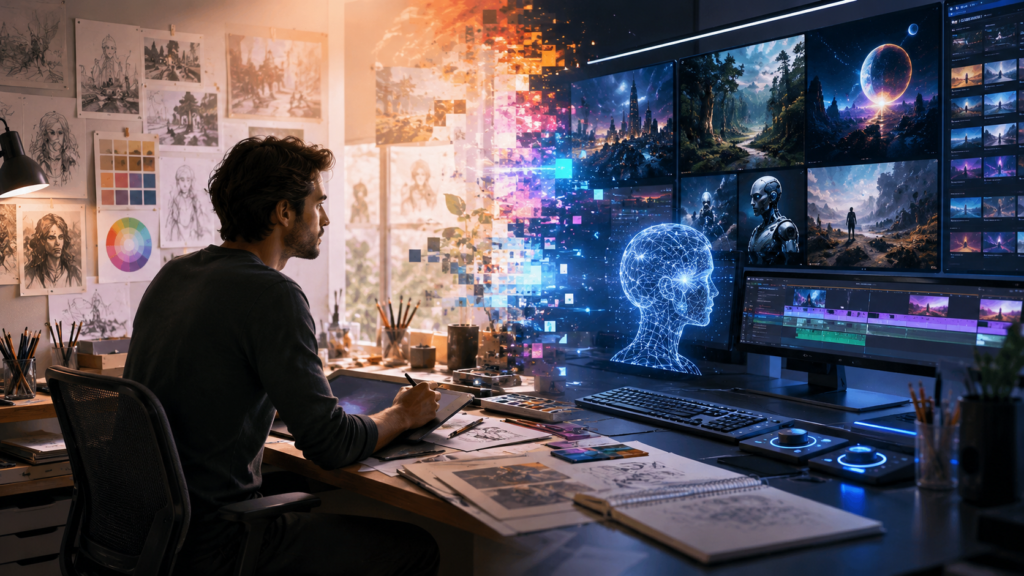
The AI Creative Revolution
Artificial intelligence has moved visual creation from a process that was once dominated by manual production toward a process in which humans can describe, direct, modify, and evaluate what they want a machine to create.
This doesn’t mean traditional creative skills have suddenly become unnecessary. Instead, the creative process is changing.
A designer may once have spent hours creating an initial concept before seeing whether it worked. Today, AI can help generate multiple possibilities within minutes. A filmmaker can experiment with visual scenes before committing to production. A photographer can use AI-assisted editing to make changes that would previously have required extensive manual work.
Understanding this change is important before considering its risks.
What Are AI-Generated Images and Videos?
AI-generated images are visuals created or substantially modified using artificial intelligence systems. Depending on the tool, a user might provide a written description, an existing photograph, another image, or a combination of inputs.
The system then generates or modifies visual content based on patterns it has learned from its training.
Common forms of AI-assisted image creation include:
- Text-to-image generation
- Image-to-image transformation
- Generative image editing
- Background replacement
- Object removal or addition
- Image expansion
- Style transformation
- Concept visualization
Video generation follows a similar direction but adds movement and time.
Modern generative video systems can assist with tasks such as creating short scenes from text or images, animating still visuals, modifying existing footage, and experimenting with visual concepts.
The result is a fundamental change in accessibility.
A person doesn’t necessarily need advanced knowledge of traditional image-editing or video-production software to experiment with visual ideas.
🤖 Technology Background: Generative AI works by learning patterns from large amounts of training data and using those learned patterns to generate new outputs in response to instructions or other inputs. The exact capabilities and limitations vary considerably between AI systems.
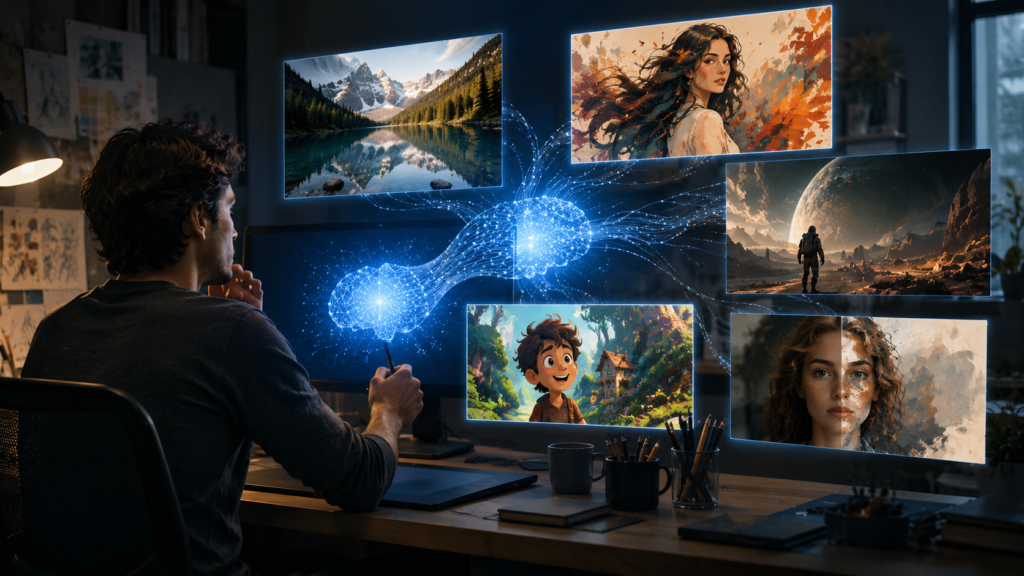
From Manual Production to AI-Assisted Creation
To understand the significance of AI, compare two simplified creative workflows.
Traditional workflow
Idea → Research → Sketch → Create → Edit → Refine → Final
A designer might begin with a rough drawing, experiment with composition, select colours, photograph or illustrate the required elements, edit them manually, and repeatedly refine the result.
AI-assisted workflow
Idea → Research → Describe → Generate → Evaluate → Refine → Final
The major difference is that generation can now happen much earlier and much faster.
Instead of spending hours producing the first visual version, a creator can explore several concepts before deciding which direction deserves further development.
This can be extremely useful.
But it also introduces a new responsibility.
The human creator must become good at evaluating possibilities.
If AI produces ten different images, the important skill isn’t simply knowing how to generate them.
It is knowing:
Which one communicates the idea best?
What is wrong with the others?
What needs to change?
Does the visual actually serve its purpose?
That is where traditional creative knowledge continues to matter.
AI Can Generate Possibilities Very Quickly
One of the strongest advantages of generative AI is its ability to accelerate experimentation.
Imagine a designer creating a poster for an environmental campaign.
Without generative tools, the designer might develop a few initial concepts manually.
With AI assistance, the designer could quickly explore different visual directions:
- A minimalist concept
- A photographic concept
- An illustrated concept
- A dramatic concept
- A typography-focused concept
- A nature-focused concept
These aren’t necessarily finished designs.
They can function as creative starting points.
This can be particularly useful during the early stages of a project when the creator is trying to determine what direction might work.
💡 CurioReader Tip: Use AI to expand your list of possibilities, not to eliminate your own thinking. Before generating anything, spend a moment developing your own concept and deciding what you want the visual to communicate.
AI Can Reduce Repetitive Creative Work
Not every part of creative work requires the same level of imagination.
Some tasks are repetitive.
A creator may need to:
- Remove backgrounds
- Resize images
- Generate variations
- Clean up unwanted elements
- Extend an image
- Produce different formats
- Create rough storyboards
- Make simple visual adjustments
AI-assisted tools can reduce the time required for some of these activities.
This can allow creators to spend more time on higher-level decisions.
For example, instead of manually producing five versions of a basic visual layout, a designer might use AI to explore variations and then spend more time deciding which concept communicates the intended message.
This is one of the most positive ways to think about AI.
Automation doesn’t necessarily have to remove creativity.
It can remove some of the work surrounding creativity.
The outcome depends on what the creator does with the time that becomes available.
AI Can Make Creative Experimentation More Accessible
Traditional creative software can have a steep learning curve.
Professional applications for graphic design, photography, illustration, animation, and video editing contain hundreds of tools and settings.
Learning them takes time.
Generative AI can reduce some of the initial barriers.
Someone who has never studied graphic design can describe an idea and immediately see a visual interpretation.
A student can experiment with concepts.
A small business owner can create rough marketing ideas.
A writer can visualize a fictional setting.
A teacher can develop an illustration for an educational explanation.
A content creator can explore thumbnail concepts.
This increased accessibility is significant.
Creative tools are no longer limited to people who have spent years learning specialized software.
However, accessibility creates an important distinction.
Being able to generate something is not the same as understanding how to create it well.
The Difference Between Generation and Design
Imagine that AI generates a beautiful photograph-like image.
It might contain:
- Attractive lighting
- Strong colours
- A balanced composition
- An interesting subject
But suppose the image is intended to be used as a website banner.
A designer still needs to ask:
Where will the headline go?
Is there enough negative space?
Will the subject compete with the text?
Does the image work on a mobile screen?
Does the colour scheme match the brand?
Does it communicate the intended message?
AI may be capable of generating the image.
But these decisions involve context and judgment.
That distinction becomes increasingly important as AI becomes more capable.
AI Does Not Know Your Purpose Automatically
A generative system can respond to instructions, but a prompt doesn’t necessarily contain everything required to understand the real-world purpose of a design.
Consider two images of the same subject.
One might be visually impressive but unsuitable for a children’s educational website.
Another might be less dramatic but much more effective because it is clear, accessible, and appropriate for the audience.
A creator who understands design can recognize the difference.
Someone who simply chooses whichever AI output looks most impressive may not.
This is why creative expertise remains valuable even when production becomes easier.
Professional Designers Can Use AI Without Abandoning Their Skills
There is a temptation to view AI as a replacement for traditional design.
But another possibility is more useful:
AI becomes another tool in the designer’s toolkit.
A professional designer might use AI during brainstorming, concept development, editing, or experimentation while continuing to rely on established knowledge of design principles.
The designer remains responsible for:
- The concept
- The audience
- The message
- The visual direction
- The selection process
- The refinement
- The final quality
- The ethical and legal considerations
In this model, AI is not the creative director.
The human is.
🧠 CurioReader Insight: A powerful creative tool does not automatically create a powerful creative decision. AI can produce possibilities, but humans still need to determine which possibility is appropriate, meaningful, useful, and worth developing.
The New Creative Skill: Direction
As AI becomes better at generating visual material, the role of the creator can increasingly shift from simply producing individual elements toward directing the creative process.
This involves knowing:
- What you want
- Why you want it
- Who it is for
- What visual language fits the message
- Which ideas are worth exploring
- Which results are weak
- What needs improvement
- When the result is finished
This is not necessarily a reduction in creativity.
It can be a different form of creativity.
A film director doesn’t personally operate every camera, edit every frame, design every costume, or build every visual effect.
The director provides vision and makes decisions.
Similarly, an AI-assisted designer may increasingly spend more time directing, evaluating, and refining rather than manually producing every component.
But there is a potential problem.
If someone never learns the fundamentals, they may not have enough knowledge to direct AI effectively.
That takes us to the central concern of this article.
When Convenience Becomes Dependence
AI becomes problematic when convenience starts replacing learning.
Imagine a student who wants to become a designer.
Every time they need an illustration, they ask AI to create it.
Every time they need a colour palette, AI chooses it.
Every time they need a composition, AI provides one.
Every time they encounter a design problem, AI solves it.
After years of doing this, the student may become highly skilled at operating AI tools without developing equivalent skill in visual design.
They may know how to request an image.
But they may struggle to create or evaluate one independently.
That distinction is at the heart of the next part.
The real question isn’t whether AI can create.
It clearly can.
The question is:
What happens to human creative ability when we stop practising the skills that AI performs for us?
What Humans Could Lose Through Overdependence on AI
The convenience of generative AI creates an important question that is easy to overlook: what happens when a tool becomes so capable that we stop practising the skills it performs for us?
A calculator can perform arithmetic faster than most people. Spell-checking can identify mistakes in seconds. Navigation apps can calculate routes without requiring us to memorize roads.
These tools are useful because they reduce mental or physical effort.
But creative skills are different. Many of them become stronger through repeated practice. Drawing, composing an image, choosing typography, editing video, developing concepts, and solving visual problems are not simply tasks with a final answer. They are abilities that develop gradually through experimentation and experience.
AI can assist with these activities, but excessive dependence could reduce opportunities to practise them.
The problem isn’t using AI.
The problem begins when AI replaces the learning process rather than supporting it.
Losing the Ability to Draw and Observe
Drawing is often misunderstood as simply producing attractive pictures.
In reality, practising drawing can teach people to observe.
When someone draws an object, they have to notice:
- Shape
- Proportion
- Perspective
- Light
- Shadow
- Texture
- Position
- Relationships between objects
They have to look carefully rather than simply recognize what they are seeing.
A person who regularly draws may develop a stronger awareness of visual details because drawing requires active observation.
If AI generates every illustration, a beginner may receive the finished visual without experiencing the process that develops these abilities.
That doesn’t mean everyone needs to become an accomplished artist.
It means that creative production itself can be part of creative education.
A student who struggles through a sketch may learn something that cannot be gained simply by looking at a perfect AI-generated image.
🧠 CurioReader Insight: The value of practising a creative skill isn’t limited to the quality of the final product. The process of creating can develop observation, decision-making, experimentation, and problem-solving.
Losing an Understanding of Composition
Composition is one of the foundations of visual communication.
It concerns how different elements are arranged within a visual space.
A strong composition can guide the viewer’s attention and make information easier to understand.
Important concepts include:
- Balance
- Contrast
- Scale
- Alignment
- Hierarchy
- Proximity
- Repetition
- Negative space
AI can produce images that appear well composed.
But receiving a good composition doesn’t necessarily teach someone why it works.
Imagine a student repeatedly asks an AI system to create social-media graphics.
The system produces attractive layouts.
The student selects the one they like most.
Eventually, they may become good at recognizing that something looks appealing without understanding the principles behind the result.
That can become a problem when the AI produces something that doesn’t work.
Without design knowledge, the user may not know what needs to change.
A trained designer can look at the same image and identify the problem.
Perhaps the headline has insufficient space.
Perhaps the visual hierarchy is confusing.
Perhaps the subject is too close to the edge.
Perhaps the background competes with the message.
Perhaps the most important element isn’t receiving enough attention.
Knowing how to identify the problem is a creative skill in itself.
Losing Typography Skills
Typography provides another example.
AI can produce a graphic containing text, but effective typography involves much more than selecting attractive letters.
A designer needs to think about:
- Font choice
- Font size
- Weight
- Line spacing
- Letter spacing
- Alignment
- Contrast
- Hierarchy
- Readability
- Consistency
Consider a poster containing a headline, supporting information, and a call to action.
All three elements cannot have equal visual importance.
The designer needs to establish a hierarchy.
The viewer should immediately understand:
What is this?
Then:
What does it tell me?
Then:
What should I do next?
AI may assist with generating visual concepts, but understanding these relationships allows humans to judge whether the result communicates effectively.
This becomes particularly important when AI-generated designs contain visually impressive elements that don’t actually improve communication.
💡 CurioReader Tip: When reviewing an AI-generated design, temporarily ignore whether it looks attractive. Ask whether the viewer can understand the intended message quickly and clearly.
Losing an Understanding of Colour
Colour is another area where AI can make decisions very quickly.
A creator can ask for:
“A modern, calming colour palette.”
An AI system can provide several possibilities.
That’s useful.
But knowing why one palette is more appropriate than another is a different skill.
Colour decisions can influence:
- Attention
- Contrast
- Mood
- Brand identity
- Readability
- Accessibility
- Visual hierarchy
A bright colour may attract attention.
But if everything is bright, nothing stands out.
A low-contrast colour combination may look sophisticated in an image but make text difficult to read.
A designer needs to understand these relationships.
AI can suggest.
Human knowledge determines whether the suggestion is appropriate.
The Bigger Risk: Losing Creative Problem-Solving
Drawing, typography, colour, and composition are important, but there is an even deeper skill at risk of being overlooked.
Problem-solving.
A designer rarely receives a simple instruction such as:
“Make something beautiful.”
Instead, the real problem might be:
“We need a visual that explains a complicated idea to people who have never encountered the subject before.”
Or:
“We need a poster that encourages people to attend an event.”
Or:
“We need a website banner that communicates trust without looking boring.”
These are communication problems.
The designer needs to understand the audience, purpose, context, limitations, and desired outcome before deciding what to create.
AI can help generate possible solutions.
But if the human simply asks:
“Make it look professional.”
and accepts the result, the underlying problem may never have been properly defined.
That is where overdependence becomes dangerous.
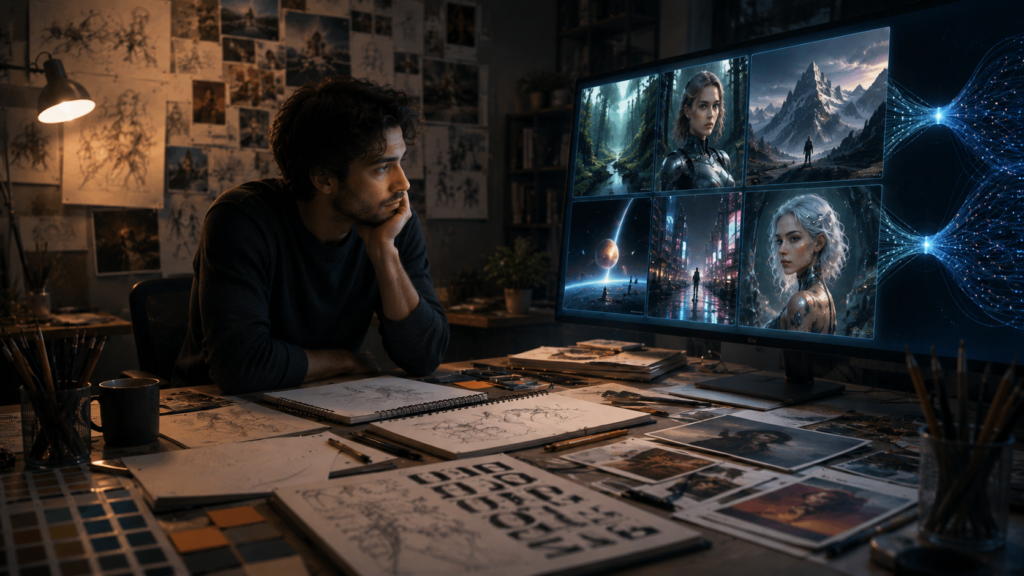
The Difference Between Making and Solving
Imagine two people are given the same AI image generator.
Person A knows little about design.
They write:
“Create a professional advertisement for a new financial service.”
The AI generates an attractive image.
Person A likes it.
Person B is an experienced designer.
They first ask:
Who is the audience?
What should the viewer understand?
What emotion should the design create?
What information has priority?
Where will this design appear?
How much text will be added later?
What must remain readable on a mobile screen?
Only then do they begin exploring visual concepts.
Both people have access to the same technology.
But they are using it differently.
Person A is asking AI to solve an undefined problem.
Person B is using AI to explore solutions to a defined problem.
That distinction is likely to become increasingly important.
The Risk of Prompt Dependence
Another emerging problem is prompt dependence.
Someone can become highly skilled at writing detailed instructions for AI while becoming less skilled at the underlying creative discipline.
For example, a person may know how to request:
“A cinematic editorial photograph with dramatic lighting, a shallow depth of field, sophisticated colour grading, minimalist composition, and negative space on the left.”
That may produce an impressive result.
But can they explain:
Why should the lighting be dramatic?
Why should the subject be positioned there?
Why is negative space necessary?
Why is that colour palette appropriate?
What does the visual communicate?
If they cannot answer those questions, their skill may be primarily prompt operation, rather than design.
Prompting can certainly be a valuable skill.
But it shouldn’t replace the ability to think visually.
🧠 CurioReader Insight: Knowing how to describe a visual to AI is useful. Knowing why that visual should exist, who it is for, and how to judge whether it works is a deeper creative skill.
The Problem With Always Accepting the First Result
Generative AI encourages rapid production.
That is one of its greatest advantages.
But speed can also discourage reflection.
Suppose AI produces an image that looks impressive on the first attempt.
The temptation is to think:
“That’s good enough.”
But creative work often improves through revision.
A designer may notice:
- The composition isn’t balanced.
- The subject doesn’t communicate the intended idea.
- The colours are distracting.
- The typography doesn’t work.
- The image doesn’t fit the brand.
- The visual is technically impressive but emotionally empty.
The ability to recognize these problems comes from critique and experience.
A healthy workflow therefore looks more like:
Generate → Examine → Question → Modify → Compare → Refine
rather than:
Generate → Accept → Publish
The difference may only take a few extra minutes, but it changes the role of the human creator.
In the first workflow, AI provides a starting point.
In the second, AI effectively becomes the decision-maker.
Losing the Ability to Work Without AI
Another concern is dependence.
Imagine a student who has used generative AI for every creative assignment for several years.
Then one day they are asked to create something without it.
They may know what they want the final result to look like, but they may struggle to begin.
This is similar to any skill that isn’t practised.
If you never write without predictive tools, never navigate without GPS, or never calculate without a calculator, certain abilities may become less practiced.
That doesn’t necessarily mean the underlying ability disappears permanently.
But practice matters.
For creative professionals, this raises an important question:
Could you still produce something meaningful if your favourite AI tool were unavailable tomorrow?
If the answer is no, your workflow may be too dependent on the technology.
That doesn’t mean you should stop using AI.
It means you should occasionally work without it.
AI Can Encourage Creative Shortcuts
Creativity often involves uncertainty.
You may start with an incomplete idea.
You may make several bad sketches.
You may experiment with an unusual colour.
You may produce a terrible first draft.
You may change direction completely.
This messy process is normal.
AI can make it tempting to skip directly to something polished.
That can be convenient.
But polished output isn’t the same as creative development.
A beginner who repeatedly sees perfect-looking AI results may also develop unrealistic expectations about the creative process.
Real creative work often involves:
Experimentation
Failure
Revision
Learning
Unexpected discoveries
The imperfections are not necessarily wasted time.
They can be part of the process through which creative ability develops.
🎨 CurioReader Creative Tip: Don’t measure every creative session by the quality of the final result. Sometimes the most valuable session is the one in which you experiment, make mistakes, and discover why an idea doesn’t work.
The Risk of Losing Personal Style
Human creators often develop recognizable styles through years of experimentation.
A photographer may develop a distinctive approach to light.
An illustrator may develop particular ways of drawing characters.
A designer may develop a recognizable approach to typography and layout.
A filmmaker may develop a particular visual language.
These styles are rarely created in one day.
They emerge from repeated choices.
AI can help people experiment with many visual styles quickly.
But there is a potential downside.
If creators constantly imitate existing aesthetics through AI prompts, they may spend less time developing their own visual language.
Instead of asking:
“What is my style?”
they may repeatedly ask:
“What style should AI give me?”
This can lead to an interesting contradiction.
AI can make experimentation easier while making personal creative identity more difficult to develop if it replaces experimentation rather than supporting it.
Creativity Is More Than Output
Perhaps the most important distinction is this:
Creative output is not the same thing as creative ability.
A person can produce hundreds of impressive images using AI.
That doesn’t necessarily mean they have developed strong creative skills.
Creative ability includes the capacity to:
- Generate ideas
- Recognize problems
- Make connections
- Evaluate possibilities
- Experiment
- Communicate meaning
- Make decisions
- Learn from failure
- Develop a personal perspective
AI can assist with some of these activities.
But if humans outsource every stage, there is a risk that they practise fewer of them.
This is especially relevant for children and students.
If a young person learns to generate an illustration before learning to observe, sketch, experiment, and revise, they may develop a very different relationship with creativity from previous generations.
That isn’t necessarily entirely negative.
Every generation learns with new tools.
But education needs to make sure that access to powerful technology doesn’t come at the expense of fundamental understanding.
The Goal Shouldn’t Be to Avoid AI
After considering all these risks, it might seem that the obvious solution is to stop using generative AI.
That isn’t necessary.
AI can provide enormous creative benefits.
It can help people who struggle with certain technical tasks.
It can make experimentation faster.
It can help professionals explore possibilities.
It can make visual communication more accessible.
The better solution is balanced use.
Learn the fundamentals.
Practise the fundamentals.
Create without AI sometimes.
Use AI when it genuinely adds value.
Question its output.
Modify its suggestions.
Make your own decisions.
And most importantly, remain capable of explaining why the final creative result works.
The objective isn’t to compete with AI at producing images as quickly as possible.
The objective is to remain a capable human creator while AI becomes increasingly capable.
That leads to a more useful question:
How can we build a creative workflow in which AI makes us more capable without making us less skilled?
The answer begins with changing the role AI plays in the creative process—from replacement to collaboration.
Creativity, Authenticity and Ethics in the AI Era
The effects of AI-generated images and videos extend beyond the individual designer.
As generative tools become easier to use, they are changing how society creates, consumes, and evaluates visual information. They are also raising difficult questions about originality, ownership, authenticity, and the meaning of creative work.
The challenge is not simply that machines can now generate impressive visuals.
It is that humans are increasingly surrounded by content whose origin, intention, and authenticity may not be immediately obvious.
When Everyone Can Create, Does Everything Start to Look the Same?
Generative AI gives people an enormous number of creative possibilities.
A person can experiment with photography, illustration, animation, advertising, cinematic scenes, fantasy environments, product concepts, and many other visual styles without mastering every traditional production technique.
That sounds like unlimited creative freedom.
But there is an interesting contradiction.
If millions of people use similar AI systems, similar prompts, and similar visual conventions, their results can begin to share recognizable characteristics.
You may have already noticed recurring AI aesthetics:
- Extremely polished lighting
- Perfect-looking environments
- Highly dramatic compositions
- Smooth cinematic colour grading
- Idealized human faces
- Futuristic technology imagery
- Highly detailed fantasy scenes
- Generic corporate illustrations
None of these styles is automatically bad.
The problem appears when visual convenience begins replacing personal expression.
A creator may ask AI for something that looks “cinematic,” because cinematic images are popular. Another creator does the same. Thousands of others follow the same pattern.
The technology provides more possibilities, but popular visual conventions can still pull creators toward similar outcomes.
🎨 CurioReader Insight: Having access to more creative tools does not automatically make creative work more original. Originality often comes from the decisions, experiences, perspectives, and limitations that make one creator’s work different from another’s.
What Does Originality Mean When AI Is Involved?
AI-generated work creates a difficult question:
Who is the creator?
Suppose someone writes a detailed prompt, generates an image, selects one result, modifies it, and publishes it.
Is the person the creator?
What if they make only a short prompt?
What if they generate hundreds of images and select one?
What if they substantially edit the result manually?
What if an artist creates the initial concept and uses AI only for certain production tasks?
There isn’t always a simple answer.
Creative work has traditionally involved different degrees of contribution from people, tools, collaborators, and production processes. AI adds another layer because some of the visual output can be generated by a system rather than directly produced by the user.
This makes the distinction between idea, direction, generation, selection, editing, and authorship increasingly important.
For creators, the practical lesson is to understand the terms and policies associated with the AI tools they use, particularly when work is intended for commercial purposes.
Copyright Is More Complicated Than “AI or Human”
Copyright and AI-generated content are frequently discussed as though there is one universal rule.
There isn’t.
Different countries have different legal frameworks, and courts, lawmakers, copyright offices, and technology companies continue to address questions surrounding AI-generated and AI-assisted content.
There are several separate issues to consider.
Training Data
AI systems may be trained using large quantities of existing material. This has raised questions about whether copyrighted works can be used for training and under what circumstances.
Generated Output
Another question is whether a particular AI-generated result receives copyright protection and, if so, what level of human contribution is required.
Style Imitation
Creators may ask AI to produce work resembling a particular artist or recognizable visual style.
That raises ethical and, depending on the circumstances, legal questions about imitation, attribution, and commercial use.
Human Contribution
A creator who substantially edits, arranges, combines, or transforms AI-generated material may have a different legal situation from someone who simply generates an image and publishes it unchanged.
Because these issues continue to evolve, creators should check the current laws and terms applicable to their country and intended use rather than relying on simplified internet advice.
⚖️ CurioReader Legal Note: Copyright rules surrounding AI-generated content vary by jurisdiction and continue to develop. This article explains the broader issues rather than providing legal advice. For commercial or high-value work, check the applicable law and the current terms of the AI service you are using.
The Problem of AI-Generated People and False Reality
Another major issue is authenticity.
AI can generate people who do not exist.
It can create realistic environments that were never photographed.
It can produce scenes that never happened.
It can modify existing photographs.
It can generate or manipulate video.
This has consequences beyond design.
Imagine seeing a photograph of an important event online.
Your instinct may be:
“Someone took a photograph, so this must have happened.”
But the photograph might not document a real event at all.
This is particularly important for journalism, advertising, politics, education, historical discussion, and social media.
The problem isn’t that synthetic media exists.
Synthetic media can have legitimate uses.
The problem is when synthetic content is presented as authentic documentation.
This is why transparency becomes increasingly important.
Creators, publishers, and organizations need to think about when audiences should be told that an image or video has been generated or substantially modified using AI.
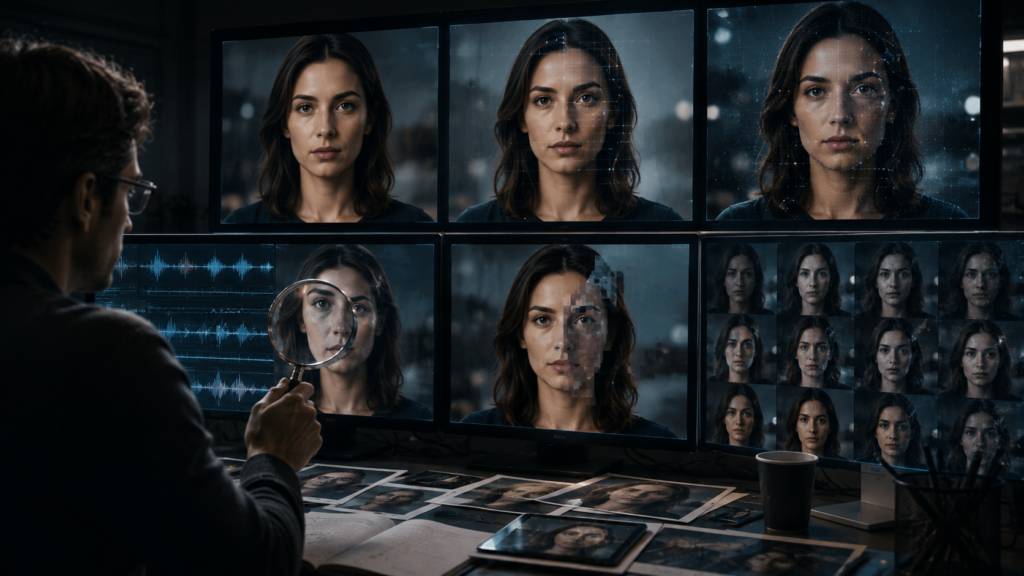
Deepfakes and the Loss of Visual Certainty
Deepfakes take this issue further.
A manipulated video can potentially make a real person appear to say or do something that never happened.
A synthetic voice can potentially make an individual appear to say something they didn’t say.
A generated photograph can place a person into a situation where they were never present.
These capabilities can be used creatively.
They can also be used deceptively.
The result is a challenge to a basic assumption humans have relied upon for a long time:
“I saw it, therefore it happened.”
That assumption is becoming less reliable.
This doesn’t mean that photographs and videos have become worthless.
It means that important claims should sometimes be verified through additional evidence.
If a video appears to show an extraordinary event, look for reliable independent reporting.
If a celebrity supposedly recommends a financial product, verify the claim through the person’s official channels.
If an image is being used as evidence for an important story, consider its source and context.
🔎 CurioReader Verification Tip: When visual content is being used to support an important claim, don’t ask only whether the image looks realistic. Ask where it came from, who published it, and whether independent evidence supports the same claim.
Creativity Versus Authenticity
This creates an interesting tension.
AI-generated content can be extremely creative in appearance.
But audiences may increasingly want to know:
Who made this?
How was it made?
Is it real?
Was it edited?
Was AI involved?
This doesn’t mean every social-media image needs a detailed production history.
But in areas where authenticity matters, transparency can become part of responsible creation.
For example, an educational website using a generated illustration to explain an abstract scientific concept is very different from someone creating a synthetic photograph and presenting it as evidence of a real event.
The visual technology may be similar.
The purpose and context are completely different.
That distinction is important.
The Human Meaning Behind Creative Work
There is another dimension that is harder to measure.
Human creative work often reflects lived experience.
A photographer may spend years observing a particular community.
An artist may respond to personal experiences.
A filmmaker may draw from cultural history.
A designer may understand the emotional needs of a specific audience.
A writer may transform memories into a story.
These experiences influence creative decisions.
AI can generate an image representing sadness, celebration, loneliness, childhood, nature, or family.
But generating an image that visually represents an emotion is different from having lived the experience that inspired the creative work.
This doesn’t mean AI-generated content cannot evoke genuine emotion.
It can.
It means that human creativity has a source that goes beyond visual pattern generation.
Human beings bring:
- Memory
- Experience
- Culture
- Relationships
- Values
- Emotions
- Beliefs
- Observations
- Personal interpretation
These elements can influence what a creator chooses to communicate.
🧠 CurioReader Insight: The value of human creativity isn’t only in the final pixels or frames. It can also come from the experience, intention, and perspective that led a person to create them.
Why Personal Experience Still Matters
Consider two people creating an image about loneliness.
One asks an AI system:
“Create a cinematic image representing loneliness.”
The system generates a visually convincing scene.
Another person has experienced years of caring for an isolated relative. They think about the quiet room, the empty chair, the afternoon light, and the small details that communicate what loneliness actually feels like.
They may also use AI to help create the image.
The difference is not necessarily the tool.
The difference is the source of the idea.
The second creator has something personal to communicate.
AI can help express that idea.
It doesn’t have to replace it.
This is one reason human experience may become more—not less—important as generative content becomes abundant.
When visual production becomes cheap and fast, meaning becomes more valuable.
The Risk of Creative Content Without Purpose
Generative AI can produce visually impressive content almost endlessly.
But abundance creates another problem.
The internet already contains enormous quantities of images and videos.
If AI makes production even easier, the volume could grow dramatically.
This raises a simple question:
Does the world need more images, or does it need more meaningful images?
A creator can generate hundreds of attractive pictures without communicating anything important.
A professional designer may spend much more time deciding what not to create.
Good design is not simply production.
It is communication.
A successful visual should serve a purpose.
It might:
- Explain
- Persuade
- Inform
- Entertain
- Evoke emotion
- Identify a brand
- Tell a story
- Help someone understand something
AI can assist with production.
But humans need to define the purpose.
The Ethical Responsibility of AI Creators
As AI becomes more powerful, creators have a responsibility to think beyond:
“Can I generate this?”
They should also ask:
“Should I generate and publish this?”
That question matters when dealing with:
- Real people’s likenesses
- Sensitive events
- False information
- Misleading advertising
- Political content
- Medical information
- Historical representations
- Children’s images
- Private individuals
- Copyrighted material
Technology can make something possible without making it appropriate.
A responsible creator considers the consequences.
⚖️ CurioReader Ethical Tip: The ability to generate an image or video does not automatically make its creation or publication appropriate. Consider consent, context, potential harm, accuracy, and the expectations of the audience.
The New Creative Responsibility
AI changes the role of the creator.
When production becomes easier, judgment becomes more important.
Creators increasingly need to decide:
What should be created?
What should not be created?
What needs to be verified?
What needs to be disclosed?
What should remain human?
What does the audience need to know?
These are not simply technical questions.
They are creative and ethical questions.
A person who understands only the mechanics of AI generation may be able to produce content quickly.
A person who understands creativity, communication, context, and ethics can decide when and why that content should exist.
AI Should Expand Creativity, Not Flatten It
The future of visual creation does not have to be a choice between traditional creativity and artificial intelligence.
There is another possibility.
Humans can use AI while maintaining the skills that make their work distinctive.
They can learn traditional principles.
They can practise without AI.
They can use AI for exploration.
They can question its results.
They can add personal experience.
They can refine generated material.
They can make deliberate decisions.
They can take responsibility for the final result.
This creates a healthier relationship between technology and creativity.
The goal is not to make every creator work manually forever.
The goal is to ensure that greater automation doesn’t produce less thoughtful creative work.
That brings us to the most practical question of all.
If AI is going to remain part of creative work, how can students, designers, artists, photographers, video creators, and ordinary users use it without allowing their own creative abilities to weaken?
The answer is not to abandon AI.
Part 4: How to Use AI Without Losing Your Creative Skills
The solution to the concerns discussed in this article is not to stop using artificial intelligence.
AI can be an extremely useful creative tool. It can help generate ideas, explore possibilities, reduce repetitive work, and make visual creation more accessible.
The real challenge is to make sure that convenience does not replace capability.
A healthy creative relationship with AI should leave you more capable, not less capable. You should be able to use AI when it provides an advantage while still understanding the creative principles behind the work.
That starts with learning the fundamentals.
Learn the Fundamentals Before Relying on Automation
If you want to become a better designer, illustrator, photographer, animator, or video creator, learn the underlying discipline.
For visual creators, that may include:
- Composition
- Colour theory
- Typography
- Drawing
- Photography
- Lighting
- Visual hierarchy
- Storytelling
- Editing
- Animation principles
You don’t necessarily need to master every discipline.
But you should understand the fundamentals relevant to the type of creative work you want to produce.
Why?
Because fundamentals give you a framework for judging results.
If AI generates an image with poor composition, you can identify the problem.
If text is difficult to read, you understand why.
If the colours clash with the intended message, you can recognize it.
If a video feels slow or confusing, you can identify where the storytelling needs improvement.
Without that knowledge, you may simply think:
“The AI result doesn’t look right.”
With knowledge, you can say:
“The visual hierarchy is weak because the background is competing with the main subject.”
That is a much more useful creative skill.
🧠 CurioReader Insight: The more powerful creative tools become, the more valuable creative judgment becomes. Fundamentals give you the ability to evaluate and improve what technology produces.
Have Regular AI-Free Creative Sessions
One of the simplest ways to maintain creative ability is to occasionally create without AI.
This doesn’t need to be difficult.
You could dedicate:
30 minutes a week
or
one hour every week
to an AI-free creative activity.
For example:
- Sketch something
- Take photographs
- Design a poster
- Edit a photograph manually
- Write a short story
- Create a storyboard
- Draw a logo concept
- Make a simple video
- Experiment with colours
- Recreate a visual you admire
The objective isn’t necessarily to produce professional work.
The objective is practice.
Just as musicians practise an instrument even when technology can automate parts of music production, visual creators can benefit from continuing to practise their fundamental skills.
These sessions can also reveal where your abilities need improvement.
Perhaps you struggle with perspective.
Perhaps your compositions feel unbalanced.
Perhaps your typography choices need work.
Perhaps you have difficulty developing ideas.
Those weaknesses are useful information.
They show you what to learn next.
🎨 CurioReader Creative Tip: Don’t make every creative session about producing something you can publish. Some sessions should simply be about practising, experimenting, and improving.
Develop Your Idea Before Asking AI
One of the most effective ways to prevent AI from replacing your creative thinking is to think first.
Before opening an AI image generator, ask yourself:
What am I trying to communicate?
Who is the audience?
What should they feel or understand?
What visual idea represents the message?
What should the composition emphasize?
Only after developing your own concept should you use AI to explore possibilities.
This changes the direction of the creative process.
Instead of:
AI → Idea
you use:
Human idea → AI exploration
That difference may seem small, but it changes your role.
In the first approach, the machine becomes the source of the concept.
In the second, the machine becomes a tool for developing your concept.
Use AI for Exploration, Not Automatic Decisions
AI is particularly useful during brainstorming.
Suppose you need to create a visual about climate change.
Instead of immediately asking AI to create the final image, you could use it to explore different concepts:
- Melting landscapes
- Contrasting seasons
- Urban heat
- Rising sea levels
- Human impact
- Renewable energy
- Future cities
You can then evaluate the possibilities.
Perhaps one concept communicates the issue better than the others.
Perhaps another is visually attractive but too complicated.
Perhaps a third would work well for a particular audience.
The important part is that you make the selection.
AI generates possibilities.
You provide direction.
Don’t Automatically Accept the First AI Result
Generative AI makes it easy to stop too early.
You enter a prompt.
The result looks impressive.
You think:
“Done.”
But creative work usually benefits from evaluation and refinement.
Before accepting an AI-generated visual, ask:
Does it communicate the intended message?
A beautiful image can still fail if the viewer doesn’t understand its purpose.
Is the composition effective?
Look at balance, hierarchy, negative space, and visual flow.
Is the subject positioned correctly?
Consider where the image will actually be used.
Are the colours appropriate?
Think about mood, contrast, branding, and readability.
Is the typography usable?
If text is included, check whether it is readable and correctly structured.
Does it fit the audience?
A visual suitable for a technology conference may not work for young children.
Does it look generic?
Ask whether the image communicates something distinctive or simply resembles thousands of other AI-generated visuals.
Are there technical problems?
Check details carefully, especially when people, hands, objects, text, or complex environments are involved.
This creates a valuable habit:
Generate → Inspect → Critique → Improve
rather than:
Generate → Accept
💡 CurioReader Tip: The first AI-generated result should often be treated as a draft rather than a finished creative work.
Learn to Critique AI Output
Critiquing creative work is itself a skill.
A person who understands design can look at an image and identify both strengths and weaknesses.
Try asking five simple questions:
What works?
What doesn’t work?
Why doesn’t it work?
What should change?
Does the change improve the original purpose?
This process encourages active thinking.
You don’t need to criticize every AI-generated image.
But regularly evaluating outputs helps prevent passive acceptance.
It also makes you better at prompting because you learn to identify exactly what you want to change.
More importantly, it makes you better at design itself.
Keep Practising Manual Skills
AI may eventually become capable of performing more creative tasks.
That makes fundamental skills less important in some situations—but potentially more valuable in others.
Consider a designer who understands typography deeply.
They can use AI to generate ten possible layouts and quickly identify which ones have potential.
Another person without typography knowledge may simply choose whichever layout looks attractive.
The first person has an advantage because technology amplifies their existing knowledge.
This is an important principle:
AI tends to be more useful when it is combined with expertise.
For students, this means learning shouldn’t stop because AI can perform a task.
If you’re studying graphic design, continue learning design.
If you’re studying photography, continue learning photography.
If you’re learning video production, continue learning editing and storytelling.
If you’re learning illustration, continue drawing.
AI can become part of the education process without becoming the entire education process.
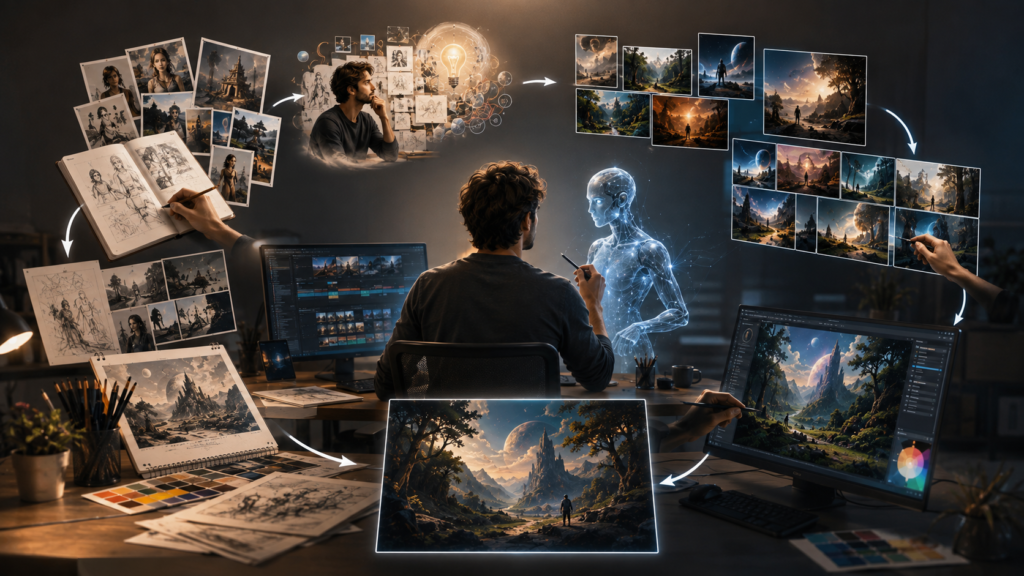
Build a Human + AI Creative Workflow
A practical way to maintain your skills is to deliberately divide responsibilities between yourself and the technology.
Step 1 — Human Idea
Start with your own concept.
Ask:
What am I trying to say?
Don’t begin with a prompt.
Begin with a purpose.
↓
Step 2 — Human Research
Understand the subject.
Collect relevant information.
Consider the audience.
Think about context.
↓
Step 3 — Human Concept
Decide what the visual should communicate.
Sketch it.
Write notes.
Create a rough layout.
Think about composition.
↓
Step 4 — AI Exploration
Now use AI.
Generate possibilities.
Try different approaches.
Explore visual directions.
↓
Step 5 — Human Selection
Evaluate the results.
Choose what works.
Reject what doesn’t.
Ask why.
↓
Step 6 — Human Refinement
Modify the result.
Adjust composition.
Improve typography.
Correct colours.
Remove unnecessary elements.
Add your own creative decisions.
↓
Step 7 — Human Judgment
Ask the final question:
Does this actually communicate what I wanted to communicate?
If the answer is no, continue refining.
This workflow keeps humans involved at the most important stages.
🤖 Technology Background: AI-assisted creativity does not have to mean AI-directed creativity. A human-led workflow can use generative systems for exploration and production while retaining human control over purpose, evaluation, refinement, and final decisions.
Don’t Let Prompt Writing Become Your Only Creative Skill
Prompting is useful.
Learning how to communicate effectively with AI can improve the quality of generated results.
But prompt-writing ability should complement—not replace—creative knowledge.
Imagine two creators.
Creator A knows hundreds of prompting techniques but has little understanding of design.
Creator B understands composition, typography, colour, storytelling, and audience needs and also knows how to use AI.
When AI produces an imperfect result, Creator B has an advantage.
They can diagnose the problem.
They can explain what needs to change.
They can make manual corrections.
They can decide whether the concept itself is wrong.
That is why AI literacy and creative literacy should develop together.
Keep Some Creative Problems for Yourself
If AI solves every creative problem you encounter, you lose opportunities to practise solving problems.
So occasionally give yourself an AI-free challenge.
For example:
Create a poster using only three colours.
Or:
Design a social-media graphic without using a template.
Or:
Take one photograph and tell a story with it.
Or:
Create three different layouts for the same information.
These limitations can encourage creativity.
In fact, restrictions have always been part of creative practice.
A limited number of colours can force better colour decisions.
A limited space can improve composition.
A limited number of words can improve communication.
A limited set of tools can encourage experimentation.
AI can provide almost unlimited possibilities.
Sometimes, deliberately limiting those possibilities can be valuable.
Use AI to Learn, Not Only to Produce
There is another powerful way to use AI.
Instead of asking it only to create, ask it to teach.
For example:
“Explain why this composition works.”
“What is wrong with this layout?”
“Teach me the principles behind this colour combination.”
“Give me three ways I could improve this design.”
“Explain the difference between visual hierarchy and balance.”
This turns AI into a learning assistant.
You are not simply outsourcing the creative decision.
You are using the technology to develop your ability to make that decision yourself.
That is a much healthier relationship with AI.
Students Should Learn the Skill Before Outsourcing the Skill
This principle is particularly important for education.
Imagine a student learning graphic design.
If they immediately use AI for every assignment, they may complete their work faster.
But speed isn’t the only purpose of education.
Education is also about developing capability.
A better approach might be:
Learn
Understand the fundamentals.
↓
Practise
Create something yourself.
↓
Experiment
Try different approaches.
↓
Use AI
Explore additional possibilities.
↓
Compare
Evaluate your work against AI-assisted alternatives.
↓
Improve
Learn from both.
This approach allows technology to support education without replacing it.
🎓 CurioReader Education Tip: Students don’t need to avoid AI completely. They need opportunities to demonstrate that they understand the underlying skill rather than simply knowing how to obtain an AI-generated result.
Maintain a Personal Creative Portfolio
Another useful strategy is to keep examples of your own work over time.
Save:
- Sketches
- Drafts
- Photographs
- Designs
- Storyboards
- Videos
- Manual experiments
- AI-assisted projects
Don’t save only the polished final results.
Keep some early versions too.
Over time, you can compare them.
You may discover that your composition has improved.
Your colour choices may have become stronger.
Your storytelling may have developed.
Your ability to critique AI outputs may have improved.
A portfolio can therefore become more than a collection of finished work.
It can become a record of creative development.
Develop Taste, Not Just Technical Ability
As AI becomes better at producing technically impressive images, another human skill becomes increasingly important:
taste.
Taste is difficult to reduce to a simple formula.
It involves recognizing:
- What feels appropriate
- What feels excessive
- What feels meaningful
- What feels generic
- What fits a particular audience
- What communicates effectively
- What should be removed
AI can generate an enormous number of possibilities.
A creator with strong taste can quickly distinguish between:
“Technically impressive”
and
“Actually good for this purpose.”
That distinction may become one of the most valuable creative skills of the AI era.
Know When Not to Use AI
Responsible AI use also includes recognizing situations where traditional methods may be better.
For example, you may choose not to use generative AI when:
- Authenticity is essential
- A real photograph is required
- You need to document an actual event
- The subject involves a real person’s likeness and consent is uncertain
- The work depends heavily on personal experience
- Manual creation is part of the educational objective
- The legal or ethical situation is unclear
Using AI simply because it is available isn’t necessarily good decision-making.
The better question is:
Does AI genuinely improve this particular task?
Sometimes the answer will be yes.
Sometimes it will be no.
The Future Creator Will Need Two Kinds of Literacy
The creative professional of the future may need to understand both:
Creative literacy
Understanding:
- Design
- Art
- Storytelling
- Composition
- Colour
- Typography
- Audience
- Communication
and:
AI literacy
Understanding:
- What generative AI can do
- What it cannot reliably do
- How to direct it
- How to evaluate outputs
- How to verify information
- Privacy considerations
- Ethical considerations
- Appropriate use
Neither is enough by itself.
Someone with strong creative skills but no understanding of AI may miss opportunities to work more efficiently.
Someone who understands AI but lacks creative fundamentals may struggle to judge the quality of what the technology produces.
The strongest position is both.
AI Should Make You More Creative, Not Less
Ultimately, the goal isn’t to preserve every traditional workflow forever.
Technology has always changed creative work.
Digital cameras changed photography.
Desktop publishing changed graphic design.
Non-linear editing changed filmmaking.
Digital drawing tablets changed illustration.
Smartphones changed photography and video creation.
AI is another major technological shift.
The important question is what we choose to preserve.
We don’t necessarily need to preserve every manual task.
We should preserve the human capabilities that give creative work meaning and direction.
Those include:
- Curiosity
- Observation
- Original thinking
- Experimentation
- Critical judgment
- Problem-solving
- Storytelling
- Taste
- Personal expression
- Ethical responsibility
AI can handle some production tasks.
Humans should continue developing the ability to decide what deserves to be produced and why.
🧠 CurioReader Insight: The healthiest future is not one in which humans refuse creative technology. It is one in which technology increases human capability while people continue to practise the skills that allow them to question, direct, improve, and create.
A Simple Rule for the AI Creative Age
If you want one rule to remember from this article, make it this:
Think first. Create yourself. Use AI. Question the result. Improve it.
Don’t let AI become the first thing you turn to whenever you have an idea.
Give your own imagination a chance first.
Don’t measure your creativity by how quickly you can generate an image.
Measure it by:
The quality of your ideas.
The problems you can solve.
The decisions you can explain.
The skills you continue to develop.
And the meaning you bring to the final work.
AI can generate possibilities at remarkable speed.
But the ability to decide which possibilities are worth pursuing remains deeply human.
The future of creativity doesn’t have to be humans versus AI.
It can be:
Humans thinking + AI assisting + humans deciding.It is to develop a workflow in which humans remain active participants at every important creative stage.
Frequently Asked Questions
Will AI replace graphic designers and other creative professionals?
AI is likely to automate or accelerate some parts of creative work, but that does not mean every creative profession will disappear. Human skills such as creative direction, problem-solving, storytelling, judgment, communication, and understanding an audience remain important. The nature of many creative jobs may change as AI becomes part of the normal production process.
Can AI-generated images be considered creative?
AI can produce original-looking visual combinations, but the meaning of “creativity” depends on how the term is defined. Human creativity involves intention, experience, decision-making, experimentation, and judgment. When people use AI to explore ideas and then select, modify, and refine the results, the creative process can involve substantial human participation.
Should students learn traditional design skills when AI can create images?
Yes. Students can benefit from learning fundamental creative principles even when they use AI. Understanding composition, colour, typography, visual communication, photography, illustration, and storytelling helps students evaluate AI-generated results rather than simply accepting them.
🎓 CurioReader Education Tip: Learning a creative skill is not only about being able to produce the final result. It is also about understanding the decisions and principles that make the result effective.
How can designers use AI without becoming dependent on it?
A useful approach is to maintain a human-led workflow. Develop your own concept first, use AI to explore possibilities, critically evaluate the results, and then refine the selected work. Regularly creating without AI can also help maintain fundamental skills.
Should I disclose that I used AI to create an image or video?
Whether disclosure is required depends on the platform, purpose, organization, applicable rules, and nature of the content. For content that could reasonably be mistaken for real documentation—particularly realistic photographs, videos, or representations of real people—transparency can be especially important. Creators should also check the current policies of the platform or organization where the content will be published.
Are AI-generated images safe to use commercially?
Not automatically. Commercial use can involve several considerations, including the AI service’s terms, copyright, trademarks, likeness rights, licensing, and the laws applicable to your location. These rules can change and differ between jurisdictions, so creators should check the current terms and relevant legal requirements before using AI-generated material commercially.
How can I maintain my creativity while using AI?
Continue practising creative skills independently, develop your own ideas before using AI, experiment without AI regularly, learn the fundamentals of your discipline, critique AI outputs instead of automatically accepting them, and use AI primarily to expand your creative possibilities rather than replace your creative thinking.
Key Takeaways
- AI has dramatically increased the speed and accessibility of visual creation.
- AI can be a valuable creative assistant for designers, artists, photographers, filmmakers, students, and content creators.
- Generating an image is not the same as understanding design.
- Excessive dependence on AI may reduce opportunities to practise fundamental creative skills.
- Drawing, composition, typography, colour, storytelling, and visual problem-solving remain valuable.
- Prompt-writing should complement creative knowledge rather than replace it.
- The first AI-generated result should usually be treated as a starting point, not automatically as the finished work.
- AI-generated content can contribute to visual sameness if creators rely heavily on popular styles and conventions.
- Synthetic images and videos also create new questions about authenticity and trust.
- Copyright, ownership, likeness, and commercial-use questions require careful consideration because rules vary and continue to evolve.
- Students should learn fundamental creative skills while also developing responsible AI literacy.
- Regular AI-free creative practice can help maintain independent creative ability.
- The strongest creators may be those who combine creative expertise with AI literacy.
- AI should expand the number of possibilities humans can explore—not reduce the amount of thinking humans do.
🧠 CurioReader Insight: The goal isn’t to preserve every traditional creative task forever. The goal is to preserve the human ability to think, question, create, evaluate, and make meaningful decisions while using new technology.
Conclusion: Keep the Human in Creativity
Artificial intelligence has changed what is possible in visual creation.
An idea that once required specialized equipment, software, technical knowledge, and considerable production time can sometimes be transformed into an image or video within minutes. That accessibility is genuinely valuable. It gives more people the opportunity to experiment, communicate ideas, and participate in creative work.
But greater convenience creates a responsibility.
If AI performs every creative task for us, we may gradually practise fewer of the skills that make us capable creators.
The solution is not to reject artificial intelligence.
Nor is it to accept every AI-generated result simply because it looks impressive.
The better approach is to use AI deliberately.
Learn the fundamentals.
Develop your own ideas.
Practise without AI.
Use AI to explore possibilities.
Critique what it produces.
Refine the results.
And remain responsible for the final creative decision.
The distinction is important.
A person who tells AI:
“Create something beautiful.”
is using technology to produce an output.
A person who understands the audience, defines the problem, develops a concept, uses AI to explore possibilities, evaluates the results, and carefully refines the final work is using AI as part of a creative process.
Those are very different relationships with technology.
💡 CurioReader Final Tip: Don’t measure your creativity by how quickly you can generate an image. Measure it by the quality of your ideas, the problems you can solve, the decisions you can explain, and the unique perspective you bring to your work.
The future of creativity is unlikely to be a simple competition between humans and machines.
Instead, AI will increasingly become another tool available to creators.
The challenge will be deciding how much of the creative process to give to that tool.
Let AI handle tasks where automation genuinely helps.
Use it to explore ideas you might not otherwise have considered.
Let it reduce repetitive work.
Let it help you experiment.
But keep developing the abilities that technology cannot replace simply by producing an output:
Curiosity.
Observation.
Judgment.
Taste.
Storytelling.
Problem-solving.
Personal experience.
Purpose.
These are what turn production into creativity.
AI can generate possibilities at extraordinary speed.
But humans still decide which possibilities matter.
And perhaps that is the most important creative skill to protect in the AI era:
Don’t let the ability to generate more make you forget how to think better.
Further Reading & Resources
Continue your learning journey with more expert guides and insightful articles from CurioReader. Explore related topics below to deepen your understanding and discover new perspectives.
Related CurioReader Articles
- The Future of Jobs: Why Employment Is Changing and What Workers Need to Know.
- How to Use AI Without Losing Your Critical Thinking Skills.
- Popular AI Tools for Beginners (2026): ChatGPT, Gemini, Claude & Canva AI.
- The Complete Guide to Artificial Intelligence 2026.
Recommended External Resources